Cross-launch policy groups from Security Cloud Control Firewall Management
This task enables you to navigate directly to the Policy Groups page in Catalyst SD-WAN Manager from Security Cloud Control Firewall Management for managing Catalyst SD-WAN devices.
Security Cloud Control Firewall Management lets you cross-launch to the Policy Groups page in Catalyst SD-WAN Manager for the onboarded Catalyst SD-WAN Manager.
Procedure
Step 1 | Choose . |
Step 2 | Click the WAN Branch Edge tab. |
Step 3 | Select a device and click Policy Groups under Management.
|
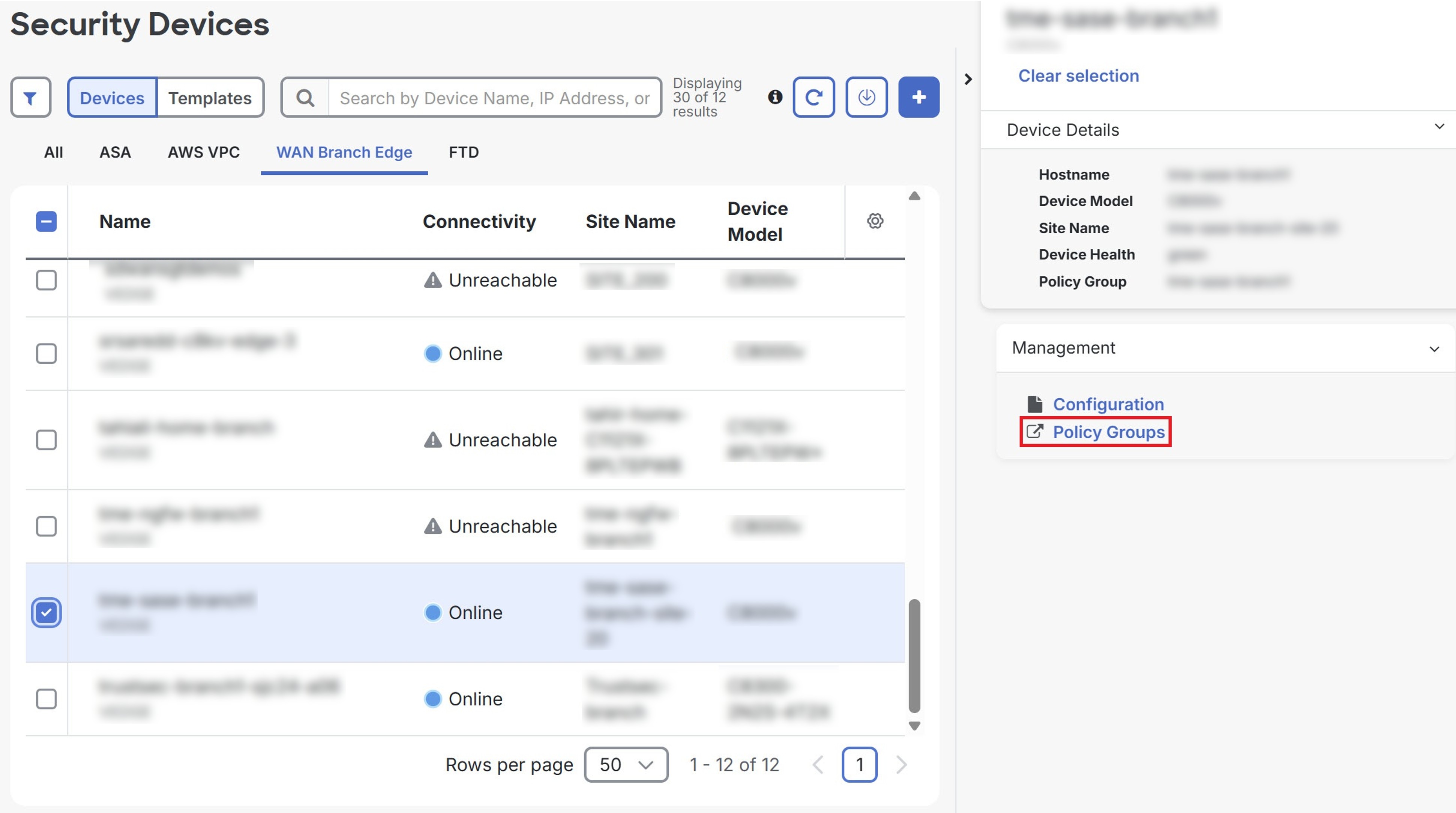
The Policy Groups page opens in Catalyst SD-WAN Manager, allowing you to manage policy configurations for the selected device.