View intrusion events
The Intrusion Prevention System (IPS) helps you detect and block network intrusions and malicious activities based on Cisco Talos threat intelligence.
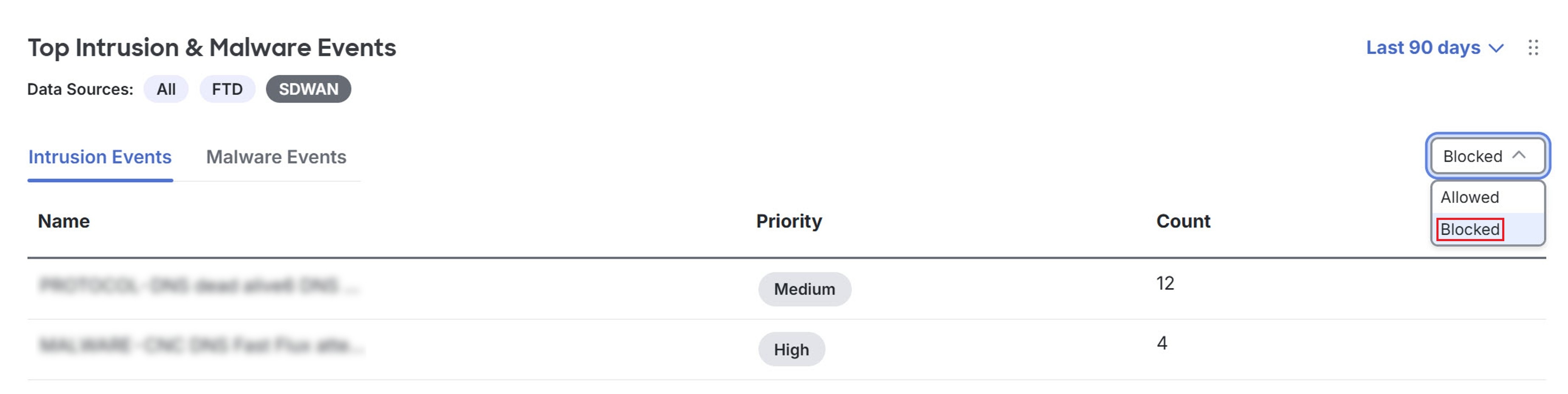
The Top Intrusion & Malware Events dashlet in the Security Cloud Control Firewall Management dashboard is mapped to Intrusion Prevention and Advanced Malware Protection dashlets in the Monitor page of Catalyst SD-WAN Manager on the Security tab.
Procedure
Step 1 | Click Dashboard. |
Step 2 | Navigate to the Top Intrusion & Malware Events dashlet. |
Step 3 | Click SDWAN under Data Sources. |
Step 4 | Click the Intrusion Events tab. |
Step 5 | Select Blocked in the drop-down near the dashlet. By default, Allowed is selected.
|
Step 6 | Click the event you want to view in Catalyst SD-WAN Manager. A cross-launch window of the Catalyst SD-WAN Manager Monitor page appears. |
Step 7 | Navigate to the Intrusion Prevention dashlet to view the event. |